Guide: how the limit warning works in Kehrwerk
Flue gas loss is checked as you type. What the app needs for it, what the warning looks like, and how a limit breach differs from a typing error.
For a chimney sweep the most important moment of a measurement is while he is still standing at the appliance. Finding out at the office that the flue gas loss was over the limit means a second trip. That is why the Kehrwerk app checks every value the moment it is in the field. No button, no mental arithmetic, no table in your pocket. This guide shows how the check works and how to rely on it.
Step 1: enter the rated heat output on the appliance
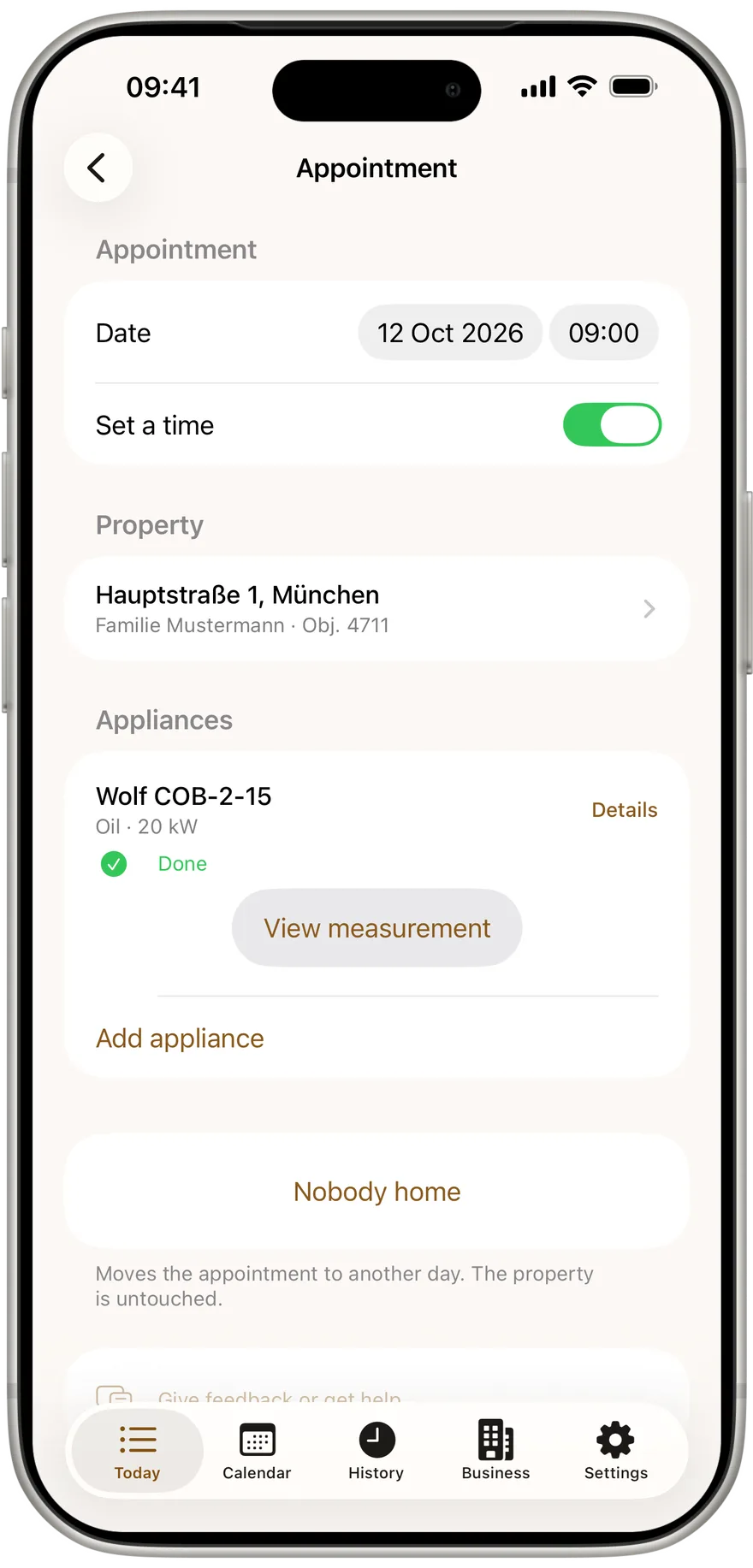
In Germany the flue gas loss limit depends on the appliance's output. In the appointment, open "Details" on the appliance and enter the rated heat output in kW under Output. Right below, the app explains what the number decides:
- over 4 to 25 kW: limit 11 percent
- over 25 to 50 kW: limit 10 percent
- over 50 kW: limit 9 percent
Type the output with a comma, for example 24,5. If the appliance arrives by CSV import, the kW column comes with it. Without an output the appliance list says "kW missing", so you see at once where something is still to add.
See the limit in the cellar, not at the office
Kehrwerk checks as you type, with no signal needed. Free for one person for good, no account.


Step 2: type the values and watch the line under the field
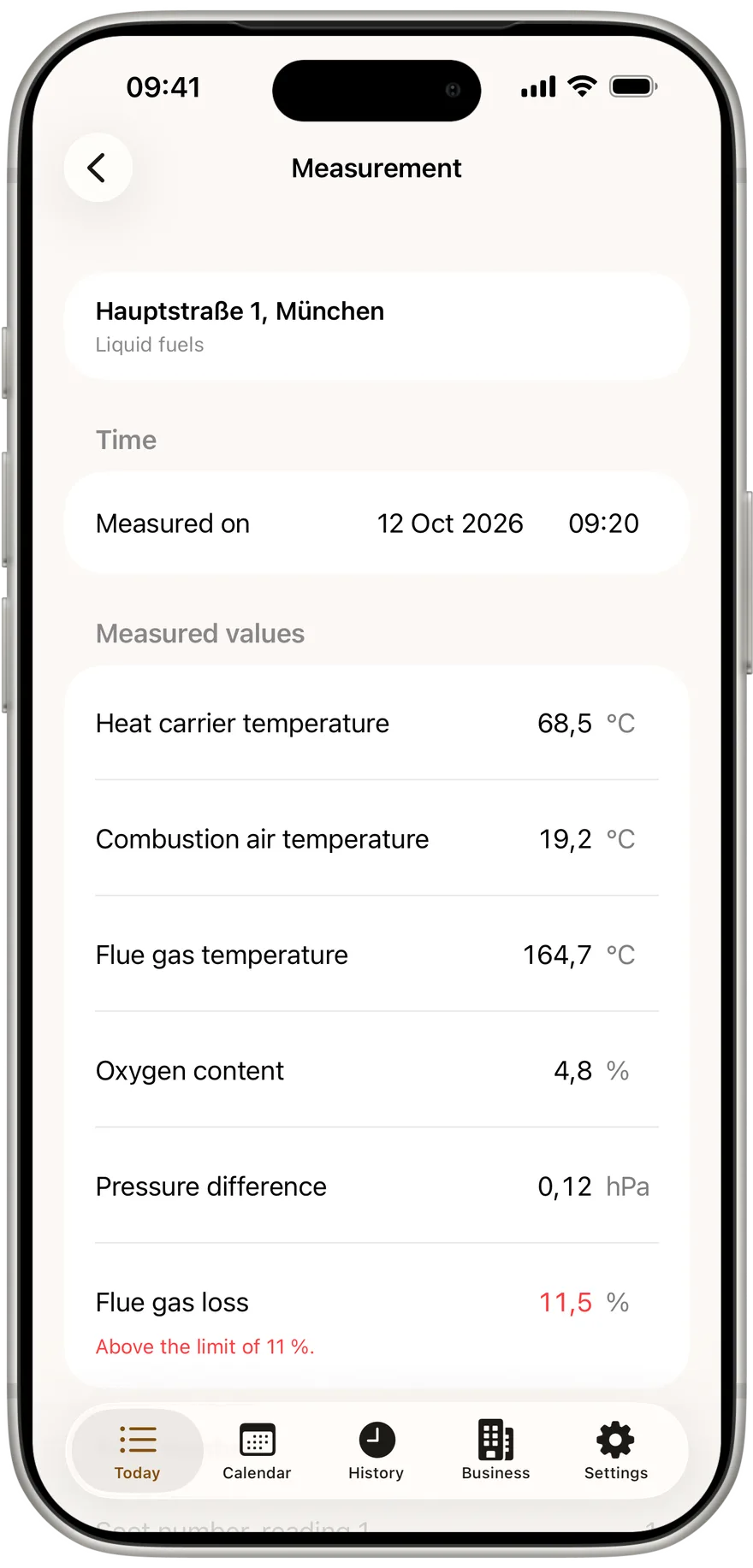
The measurement lists fields in the order of the official form. As soon as the flue gas loss field holds a number, a short line appears under it. Within the limit it says, for example, that the 11 % limit is met. Above it, the value turns red and the line reads "Above the limit of 11 %."
The check runs on every keystroke. Type 10,8 and change it to 11,2, and the line flips from met to exceeded in the same moment. The value is already saved; there is no save button.
Step 3: take the note at the top seriously
When the app cannot determine a limit for an appliance, it says so at the top under the property name, in orange: rated output missing, without it the limit cannot be checked. The line under the flue gas loss then stays empty. The app would rather show no value than a wrong one. A green tick on an appliance with unknown output is exactly the confirmation nobody should rely on.
The fix is one tap: back to the appliance, "Details", enter the kW. The measurement picks up the output immediately and the line under the flue gas loss appears.
Step 4: soot number and oil derivatives on oil boilers
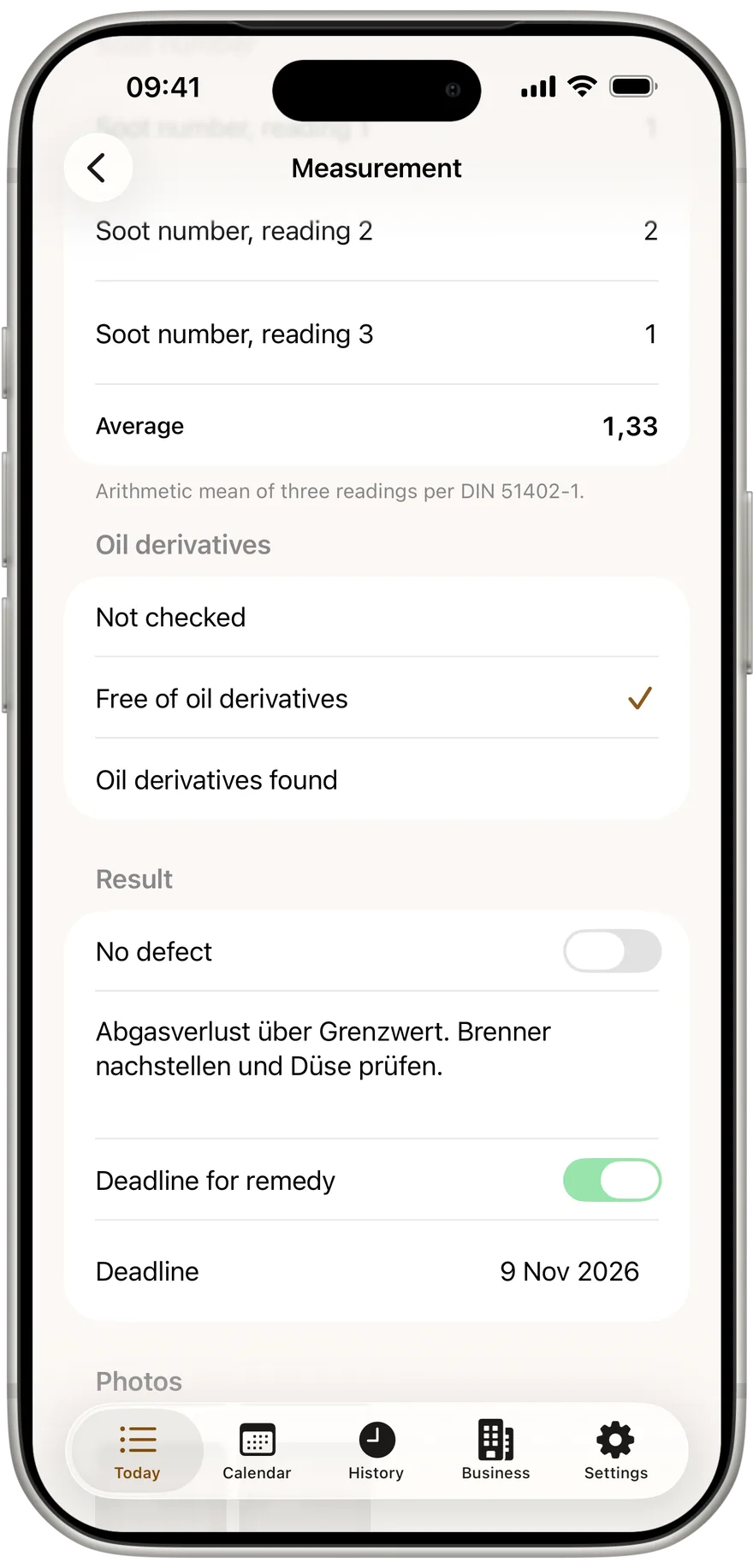
Liquid fuels get their own soot number section. You enter three single readings, the app forms the average automatically and shows it to two decimals. Until all three are in, the footer says three single readings are required and the average is formed automatically. If your business country is Austria or Switzerland, the average is also checked against the local soot limit, with the same kind of line.
The check applies to the average, not to each reading. One high reading among three can still average within the limit. Below follows the oil derivative check with three answers: not checked, free of oil derivatives, or oil derivatives found.
Every oil boiler averaged in seconds
Type three soot numbers and the average is there. Free for one person, works with no signal.
Step 5: tell a breach from a typing error
Not every red number is a breach. Each field has a range an analyser can actually show. Oxygen at 51 percent or a flue gas loss of 818 percent is not a reading, it is a typo. For those the app shows no limit line but, for example, "Invalid: allowed is 0 to 100 %".
- Oxygen content: 0 to 21 %
- Flue gas loss: 0 to 100 %
- Flue gas temperature: 0 to 1000 °C
- Pressure difference: minus 20 to 20 hPa, set the minus with the ± button beside the value
- Soot number: 0 to 9
The difference matters. A breach blocks nothing, because it is a real result and belongs on the record. An invalid value locks "Complete measurement", and the footer names the field after "Invalid value:". No protocol leaves with an obvious typo. The value itself stays saved exactly as you typed it.
Step 6: record the result
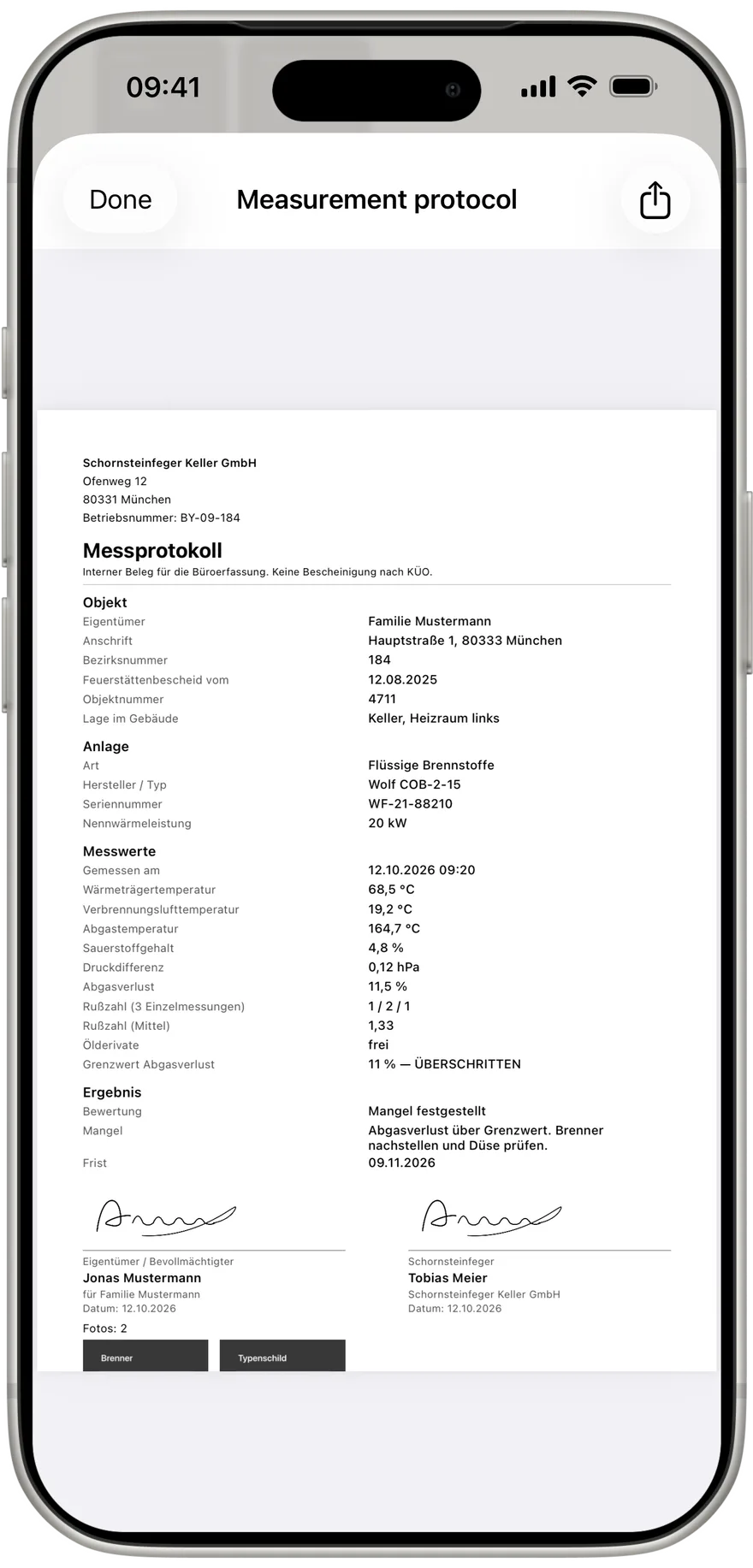
What follows from a breach is your call. Under Result switch off "No defect", describe what you found in "Defect found", and set a date with "Deadline for remedy" if needed. The PDF lists every judged value with reading, limit and the word eingehalten or ÜBERSCHRITTEN, plus the legal basis, in Germany 1. BImSchV.
CHP, Austria and Switzerland
For a CHP unit in Germany the app checks CO undiluted against 1000 ppm under KÜO § 1 (2). Above it, the line under the field adds that a repeat check is due within 6 weeks. In Austria and Switzerland the app also judges CO, nitrogen oxides or dust, depending on what the local rules set, and names the reference oxygen for concentrations, such as "bei 3 % O₂". How to set the country is in the guide on Germany, Austria and Switzerland.
Try the warning on your next gas boiler
No account, no signal needed, free for one person. Enter the rated output, type the flue gas loss, see the result.
Do I have to press a button for the limit check?
No. It runs on every keystroke. As soon as the flue gas loss field holds a number, the result shows below it.
Why is there nothing under the flue gas loss?
A detail that decides the limit is missing, in Germany the rated heat output. The top of the measurement says what is missing.
Can I complete a measurement that is over the limit?
Yes. A breach is a result and goes into the protocol with reading and limit. Only a physically impossible value prevents completing.
Does the check work offline?
Yes. All limits are held in the app. The check needs no connection.
Is the soot number checked per reading or on the average?
On the average of three readings, as DIN 51402-1 sets out. The three single values still appear in the protocol.
Try Kehrwerk on your next reading.
The chimney sweep app for flue gas readings on site. Free forever for one person, no signup.