Kehrwerk at a glance: every feature of the chimney sweep app in one tour
A tour of every screen, from the day list through the measurement to the protocol. What Kehrwerk does, where to find it and which guide helps further.
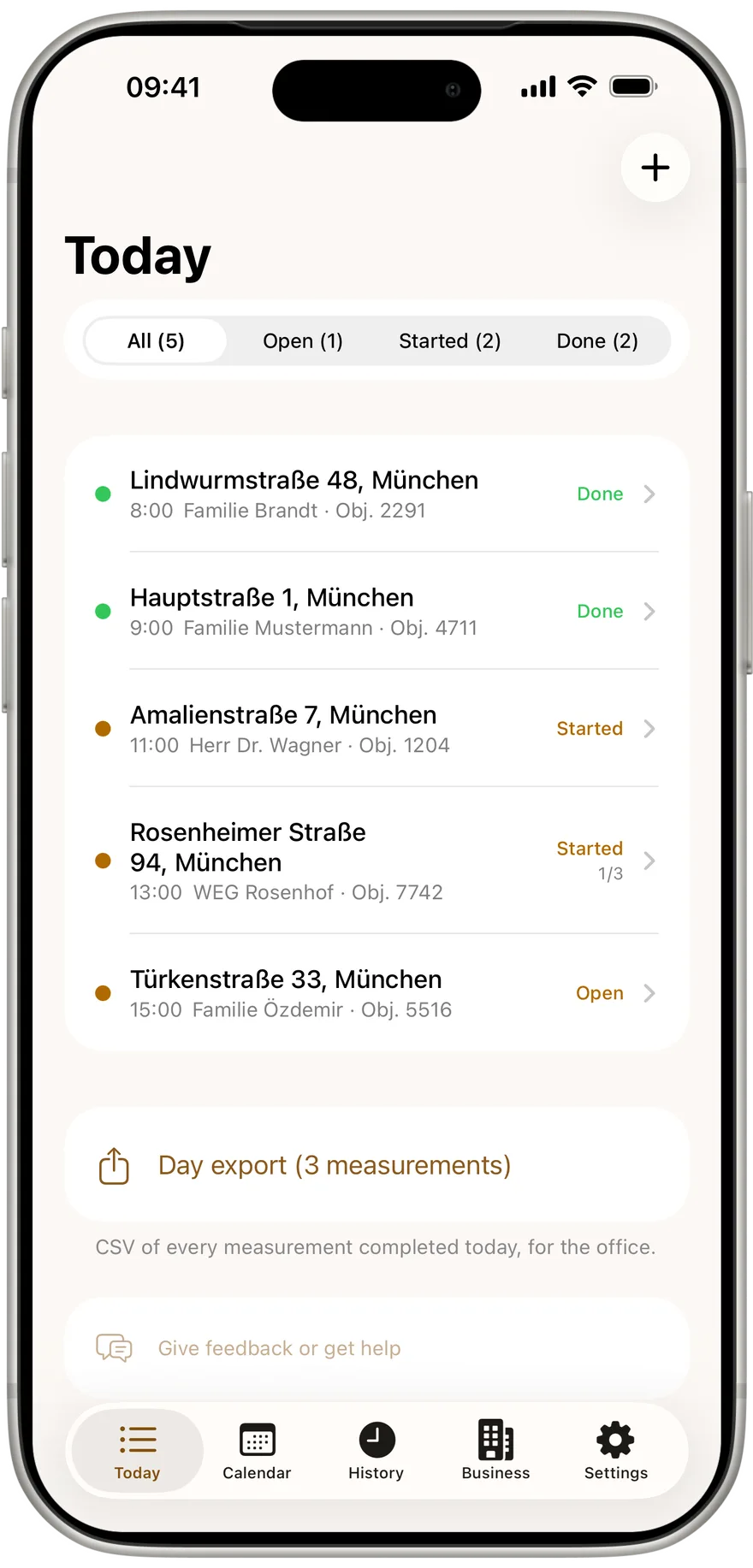
Kehrwerk is an app for chimney sweeps in Germany, Austria and Switzerland, built for one job: capturing the measurement on site so nothing is lost and nothing needs typing up in the evening. It runs on iPhone and Android, works fully without signal and is free for one person for good. This tour shows every screen in the order you use it on a working day.
First launch: no account
The first time you open it, "Welcome to Kehrwerk" appears once with three promises: measure with no signal, see the limit immediately, one export at the end of the day. Then "Continue" and you are in. No email, no password, no sign in. Five sections at the bottom lead to everything else: Today, Calendar, History, Business and Settings.
Today: the day at a glance
"Today" shows only the day's appointments, filtered by All, Open, Started and Done. Each row names address, time, state and how many appliances are measured. Add appointments with "Add appointment", bring in whole address lists with "Import addresses". Once a measurement is completed, the day export CSV waits at the bottom.
Kehrwerk on your phone
Free for one person for good, no account and no sign in. Works in a cellar with no reception.


The appointment: property, appliances, measurement
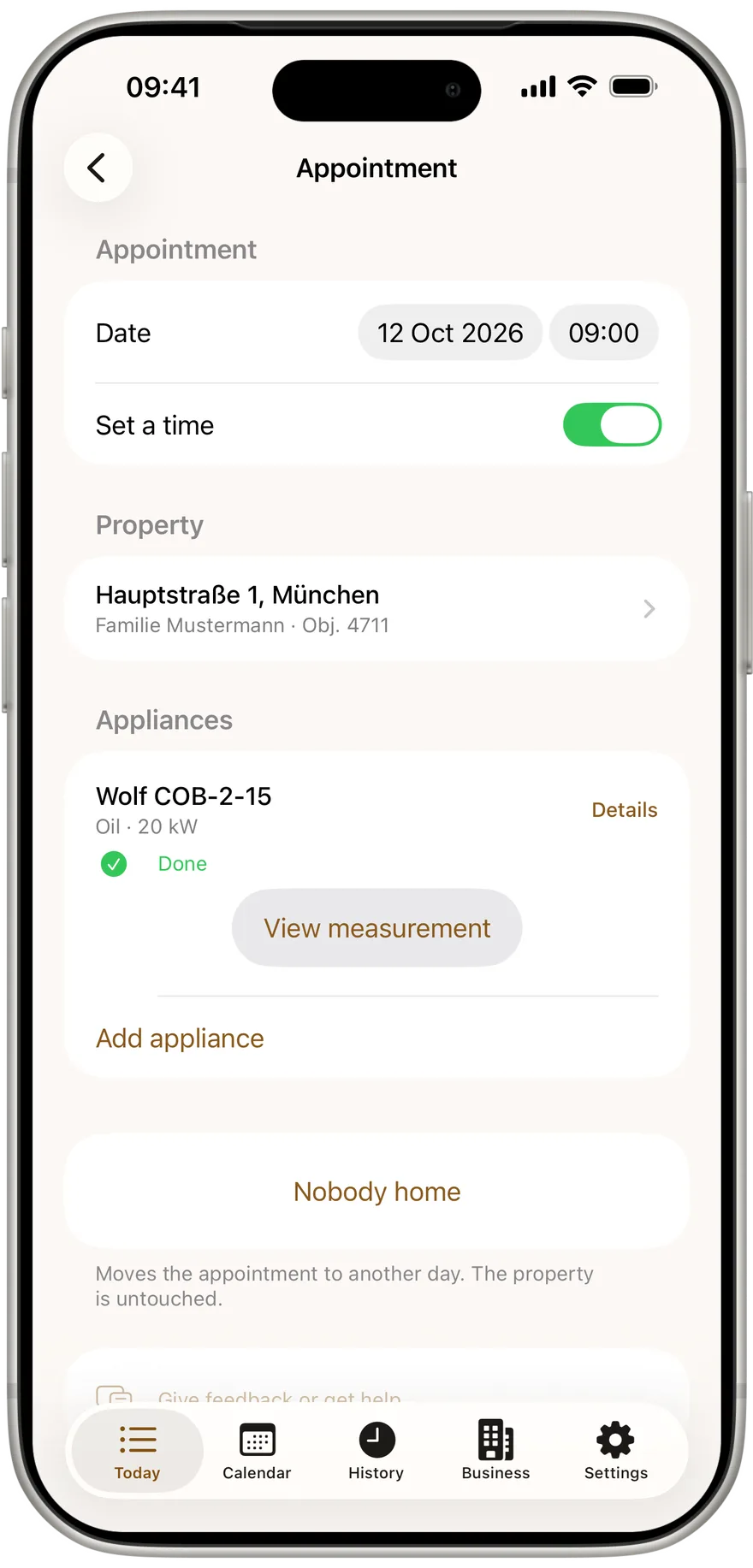
An appointment bundles the property with owner, address and heating installation notice, and below it every appliance in the house. Each appliance has its type, manufacturer, model, serial number and rated output, and under it the "Start measurement" button. If nobody answers, "Nobody home" moves it to tomorrow or a week later, and the wasted trip stays on record.
The measurement: only the fields that apply
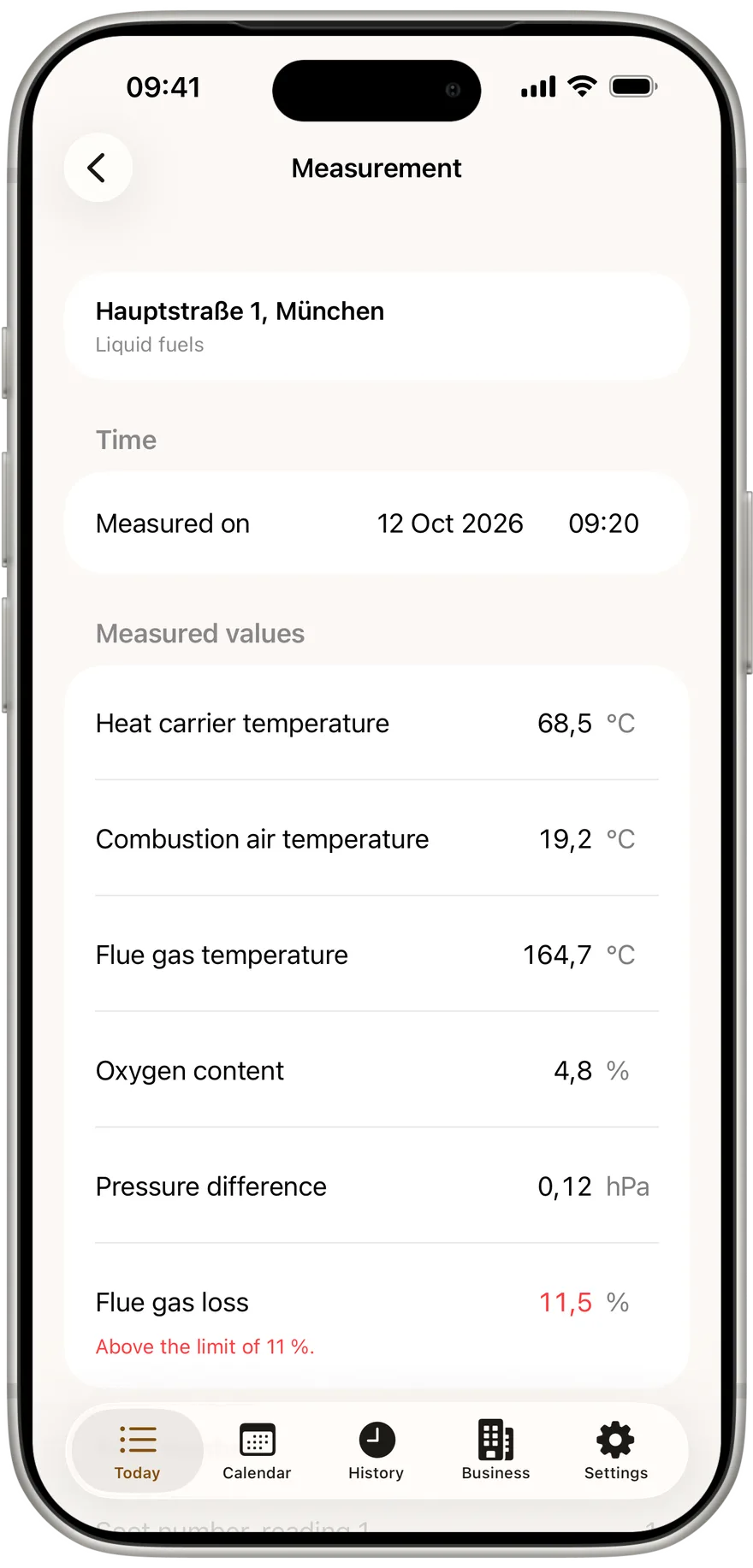
The measurement asks for exactly the values the form requires for this appliance and your country. There are five types: gaseous fuels, liquid fuels, solid fuel boiler, room heater and CHP. You type with a comma, every keystroke is saved at once, and there is no save button. A half filled measurement is a saved measurement.
Oil boilers add three soot numbers with an automatic average and the oil derivative check. Under Result you record "No defect" or describe a defect with a deadline for remedy.
The limit warning: immediate, in the cellar
As soon as the flue gas loss is in, the app checks it against the limit, in Germany by rated output: 11, 10 or 9 percent. Under the field it says whether the limit is met, in red when it is exceeded. Physically impossible values are caught as typing errors and kept out of the protocol. The full explanation is in the guide on the limit warning.
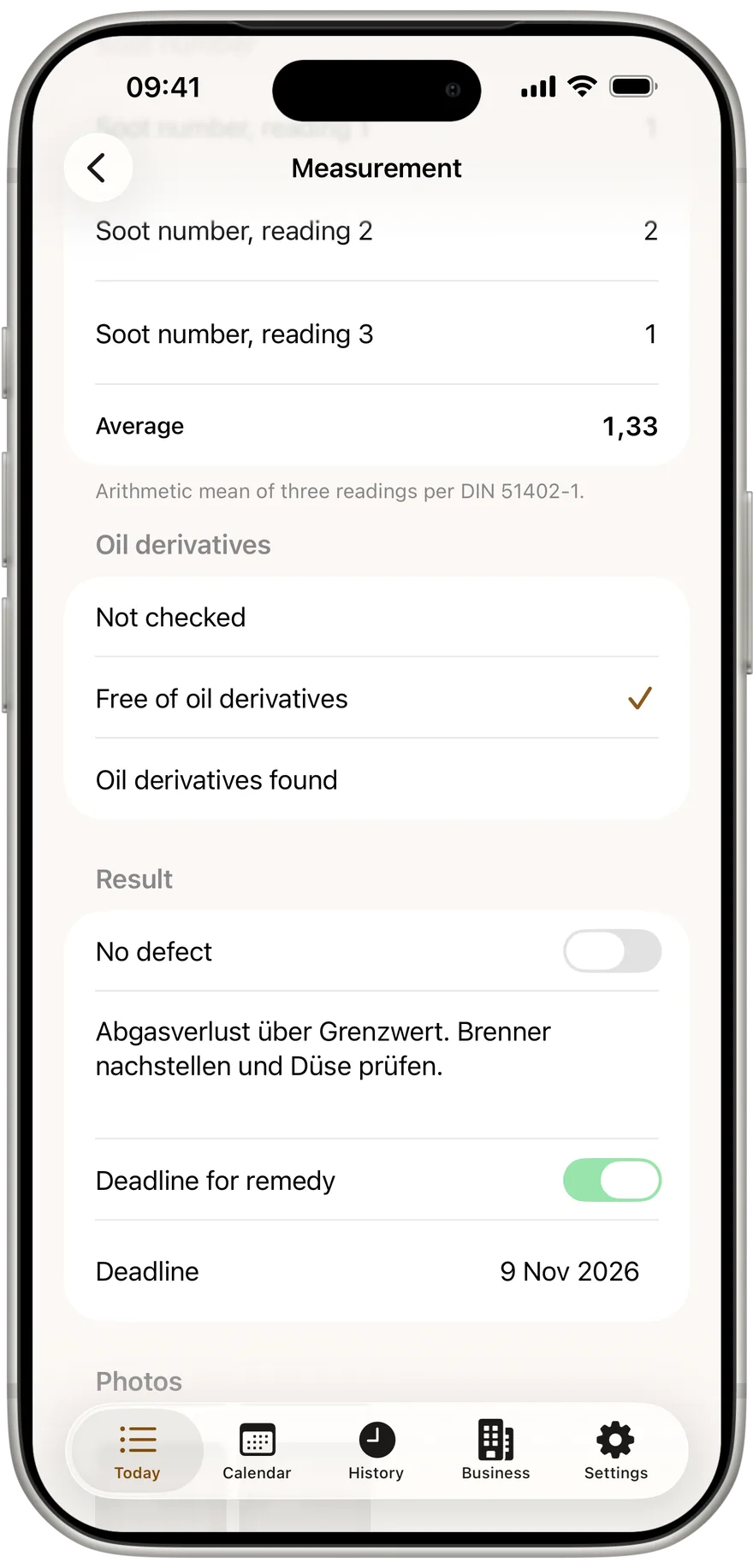
Photo and signature: evidence at the appliance
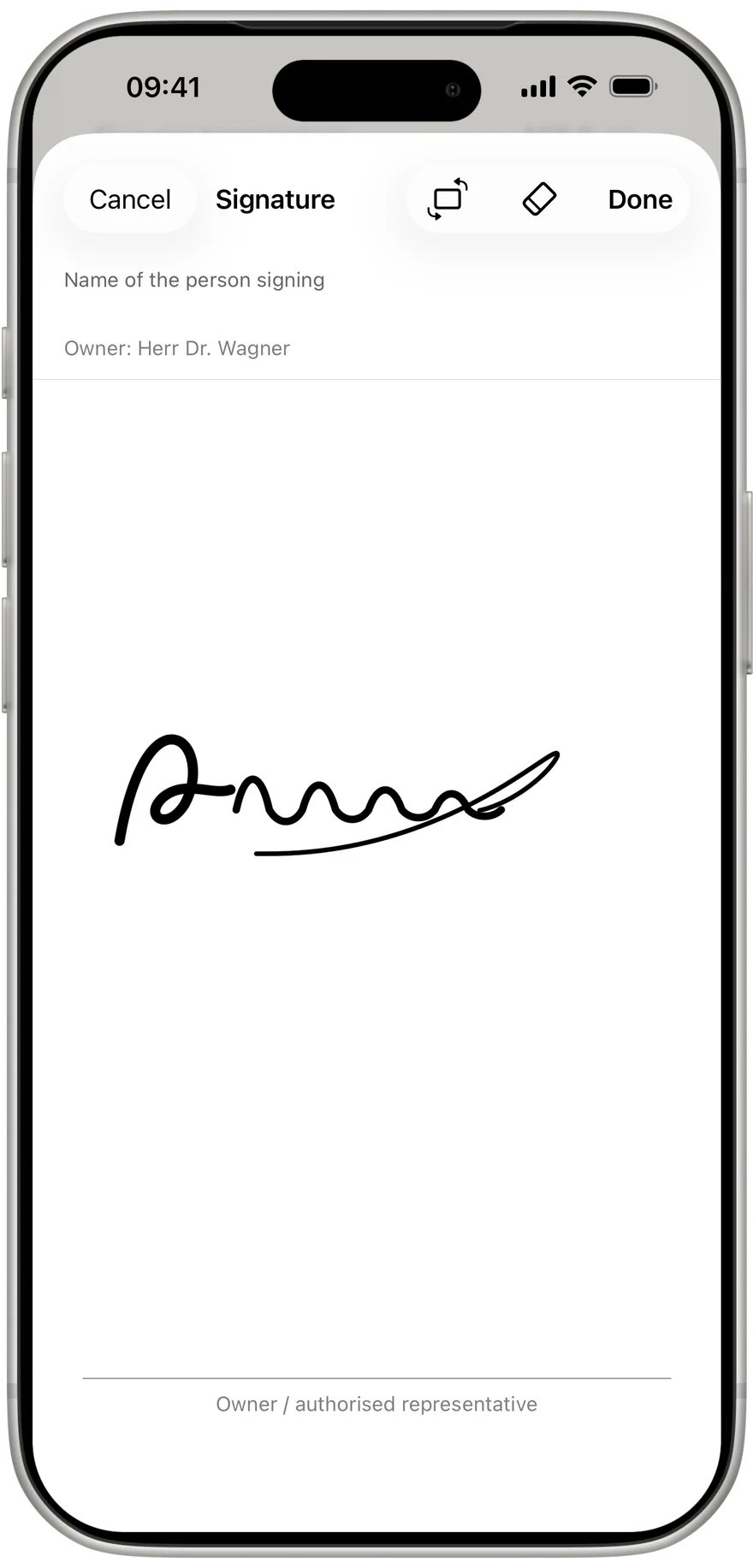
"Take photo" captures the rating plate, the analyser or a defect, as many as you need. The owner or a representative signs with a finger on a white surface, with their name. If the phone is too narrow, "Rotate" turns the surface sideways. You store your own signature once under Business, and it appears on every protocol.
Your next measurement with Kehrwerk
Values, photos and signature saved with no signal. Free for one person, for iPhone and Android.
Complete, reopen, next appliance
"Complete measurement" sets the timestamp and locks the measurement. Missing values never block it; the app just lists them as still outstanding. If something must be corrected later, "Reopen measurement" opens it again, and the protocol records the change with its date. If the house has more appliances, "Measure next appliance" goes straight to the next.
The protocol: PDF and CSV with no signal
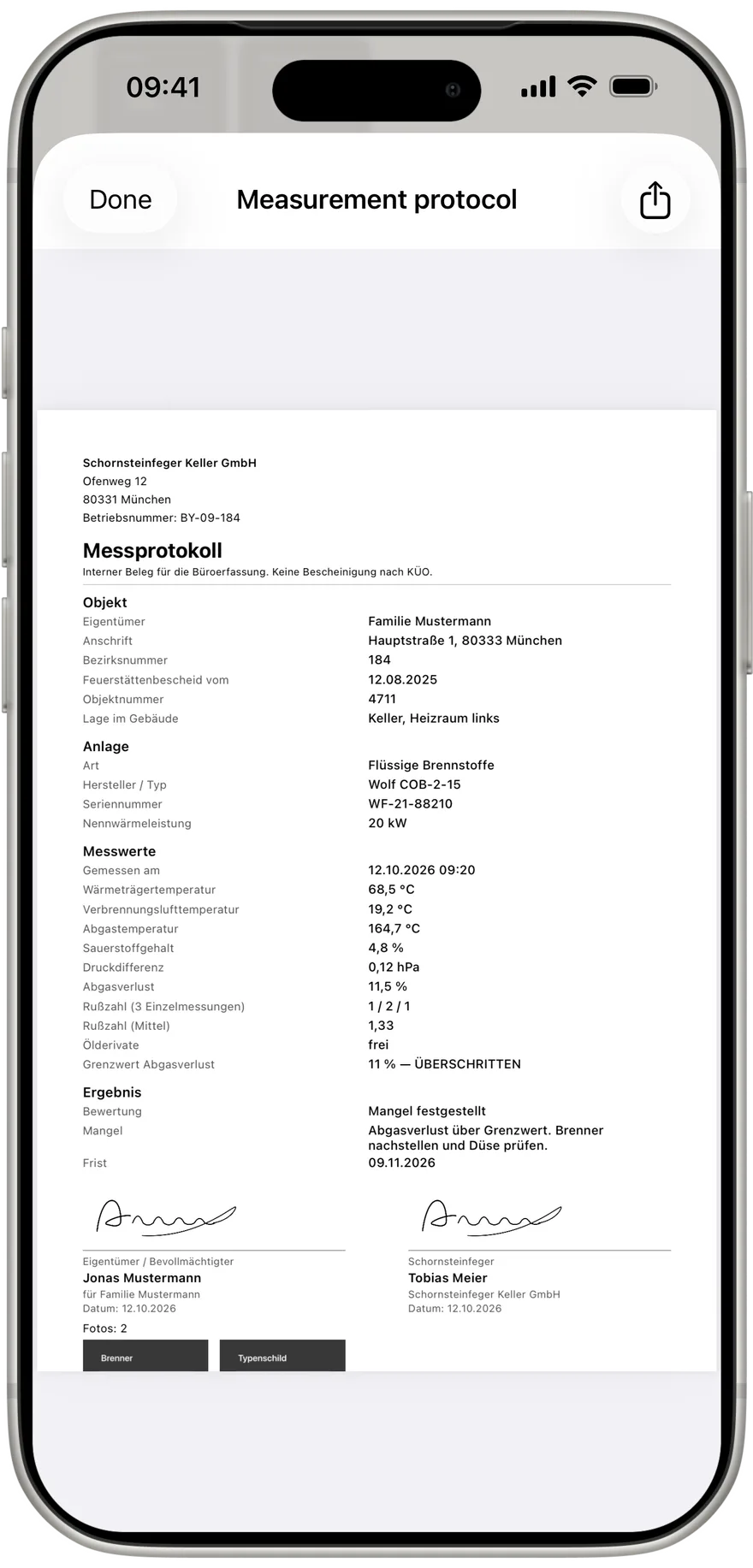
Every measurement becomes a protocol PDF on the phone, laid out like the official form: letterhead, property, appliance, values with limits and legal basis, result, both signatures and every photo. "View the protocol" opens it, "Export" shares it. For the office there is the day export CSV with every measurement of the day, one row each, numbers exactly as you typed them.
Calendar and History: the week and everything before
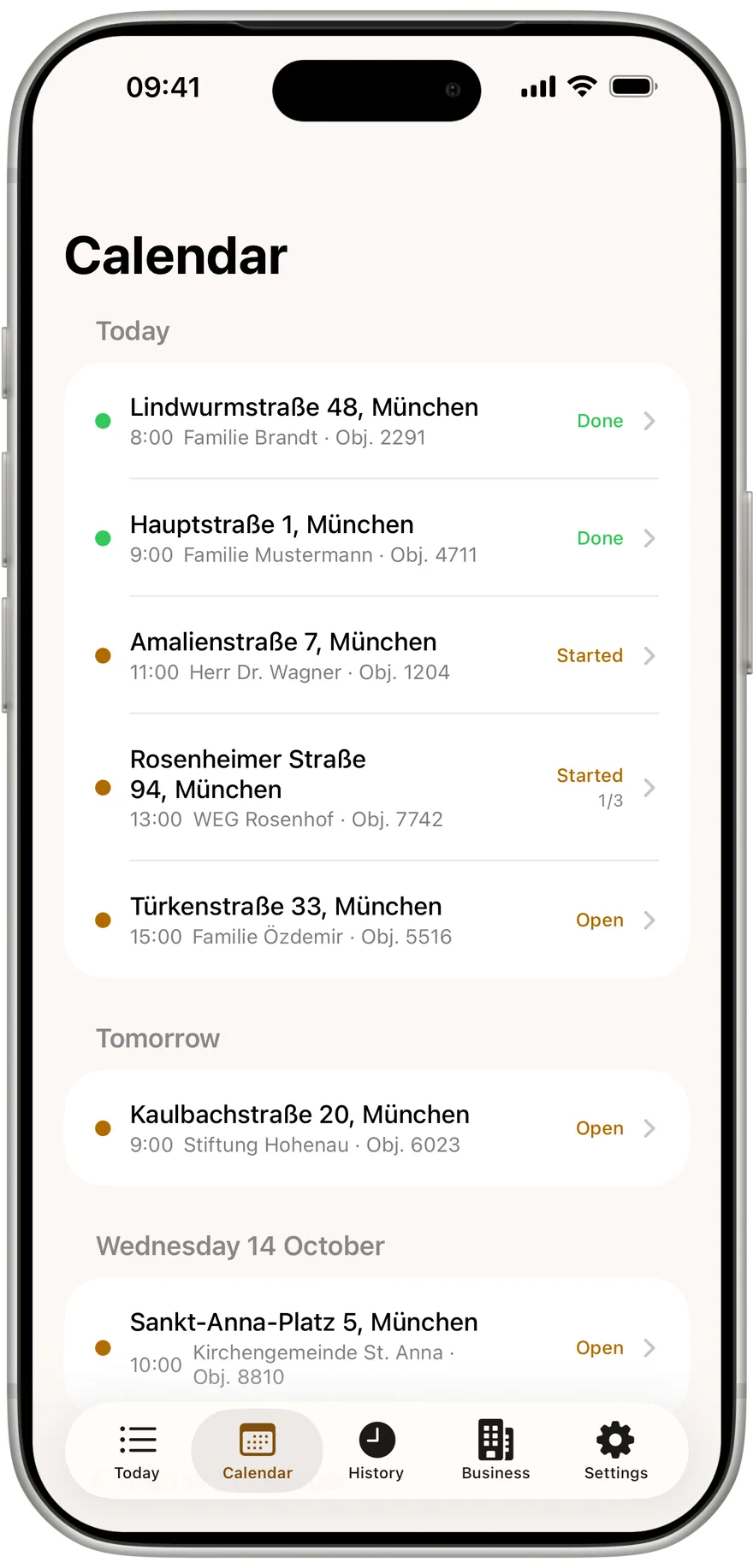
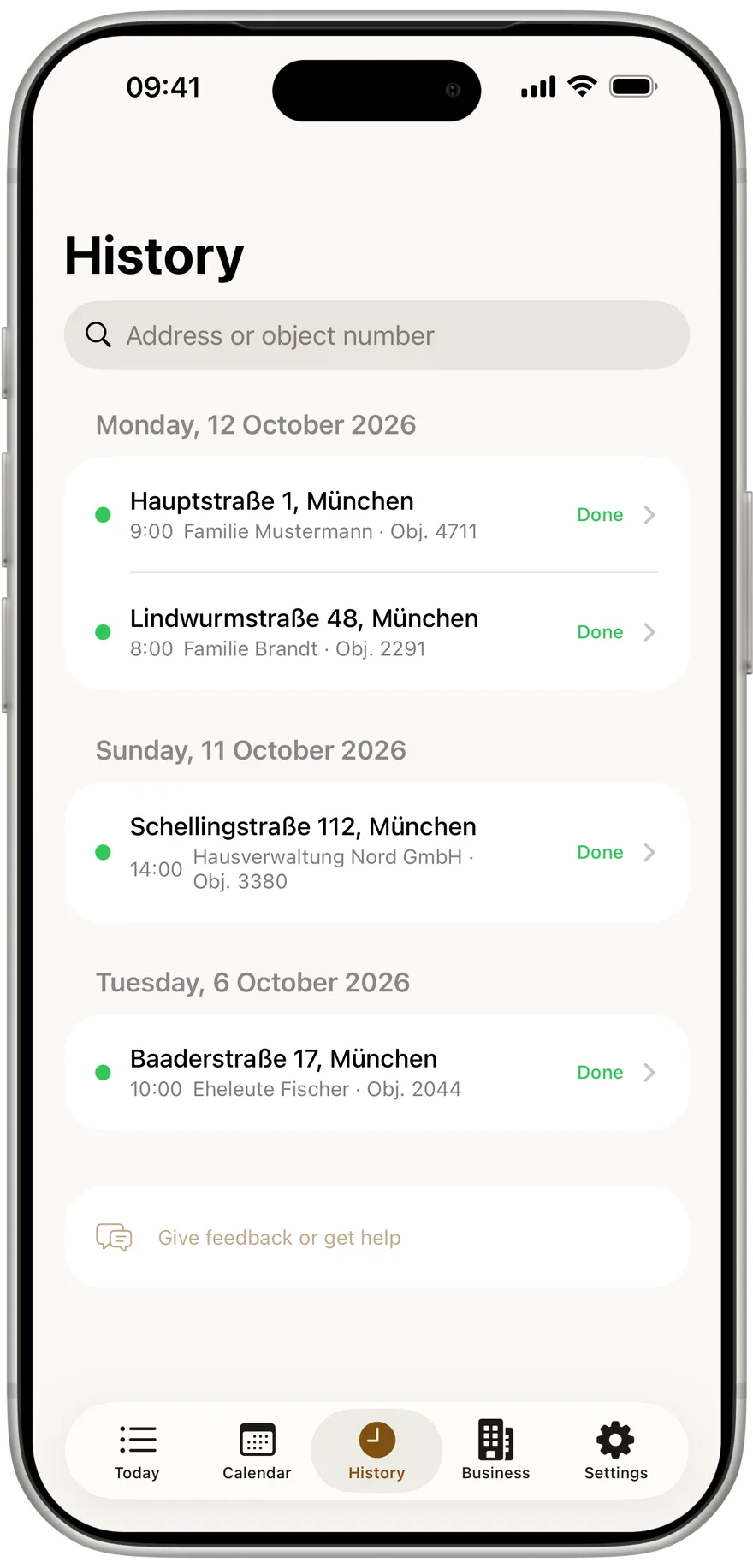
"Calendar" shows every upcoming appointment by day, with Today and Tomorrow at the top. "History" shows everything done, newest day first, with search by street, town, owner, postcode or object number. An old protocol is found and shared again in seconds.
CSV import: the district in one step
One CSV file from your district software brings properties, appliances and appointments onto the phone at once, one row per appliance. Matching addresses become one property, matching address and date one appointment. Only the Strasse column is required. The guide on appointments and CSV import lists every column.
Business: letterhead, country, signature
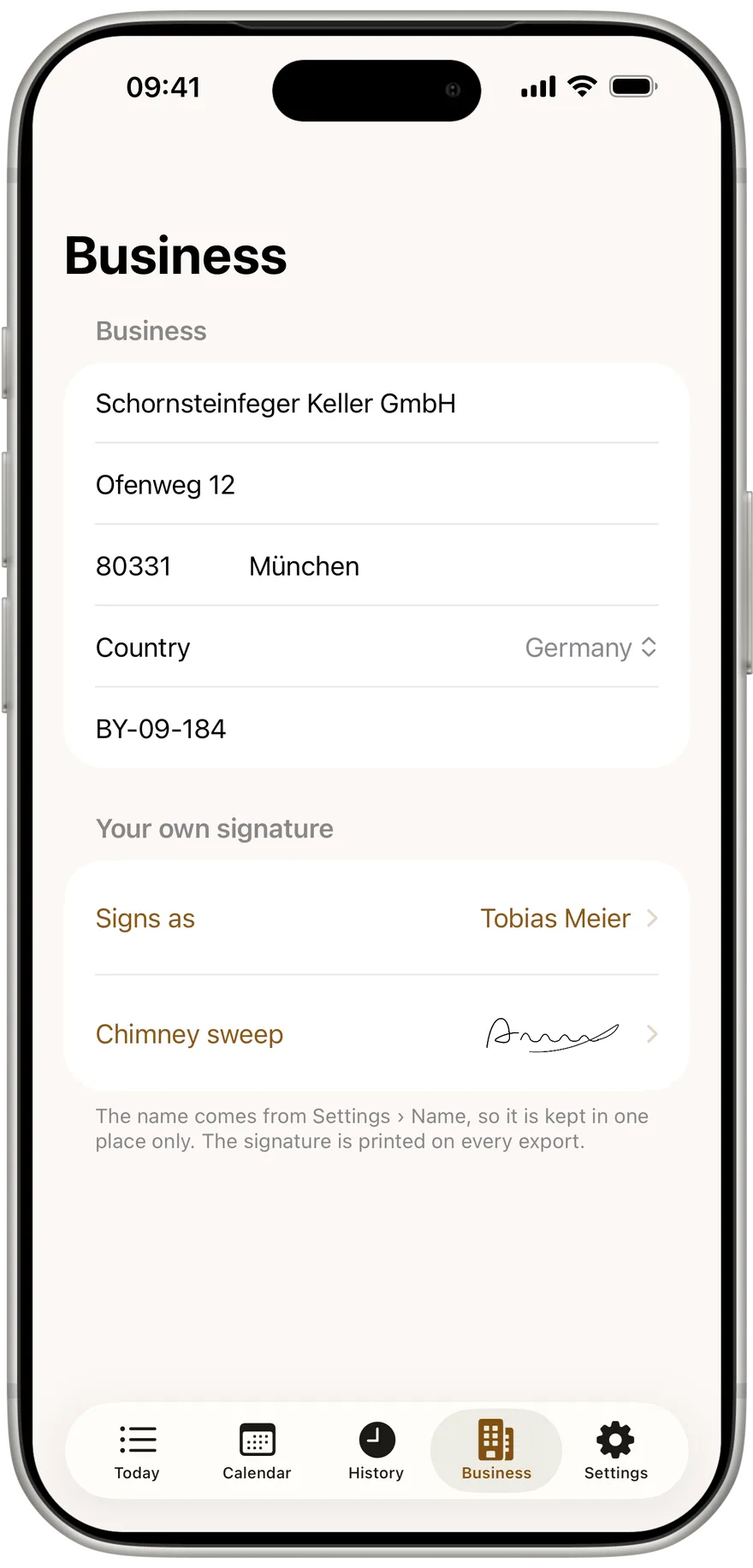
"Business" holds company name, address and business number for every protocol's letterhead, plus your own signature. The "Country" row picks the rule set: Germany under 1. BImSchV, Austria under Art. 15a B-VG or Switzerland under LRV. It changes the values asked for, the limits and the legal basis in the protocol.
Settings: name, team, language
Under "Settings" you enter your name, which appears on every measurement from this phone. The app runs in German or English, chosen through the phone's system settings. In the Team section, "Enter activation code" connects the phone to your business. And at the bottom of Today, Calendar, History, the appointment, the measurement and Settings there is a feedback and help row that opens a ready made email to us.
For businesses: the office
Once several people measure, the Kehrwerk office connects the phones to the business. Properties and appointments go to the phone, completed measurements with PDF, signature and photos come back to the office, automatically, whenever there is signal. Nothing on the server can overwrite a measurement on the phone. The office costs €39 a month plus €15 per seat, net, from two seats, 14 days free and cancel monthly.
Try the whole tour on a real day
No account, no signal needed, free for one person for good. Install, enter your business, measure.
Does Kehrwerk work without internet?
Yes, fully. Measurement, limit check, photos, signature, PDF and CSV run on the phone. Only joining a business needs signal.
Which phones does it run on?
iPhone and Android. Both have the same features, each in the style you know from your phone.
Does Kehrwerk replace my district software?
No. Kehrwerk captures the measurement on site and passes it on as PDF and CSV. Records, notices and billing stay in your district software.
What does Kehrwerk cost?
Nothing for one person, for good. Businesses with the office pay €39 a month plus €15 per seat, net, from two seats.
Does the app work in Austria and Switzerland?
Yes. Choose the country under Business and the app measures under Art. 15a B-VG or LRV.
Try Kehrwerk on your next reading.
The chimney sweep app for flue gas readings on site. Free forever for one person, no signup.