Guide: photos and the owner's signature right at the appliance
Photograph the rating plate, have the owner sign, done. How photos and signatures belong to a measurement in Kehrwerk and how they end up in the protocol.
A measurement protocol is more than a list of numbers. For a chimney sweep two pieces of evidence count: a photo showing which appliance was measured, and the signature of whoever was there. The Kehrwerk app captures both right at the appliance, with no signal and no paper, and prints them into the PDF. This guide covers every move.
Step 1: open the measurement
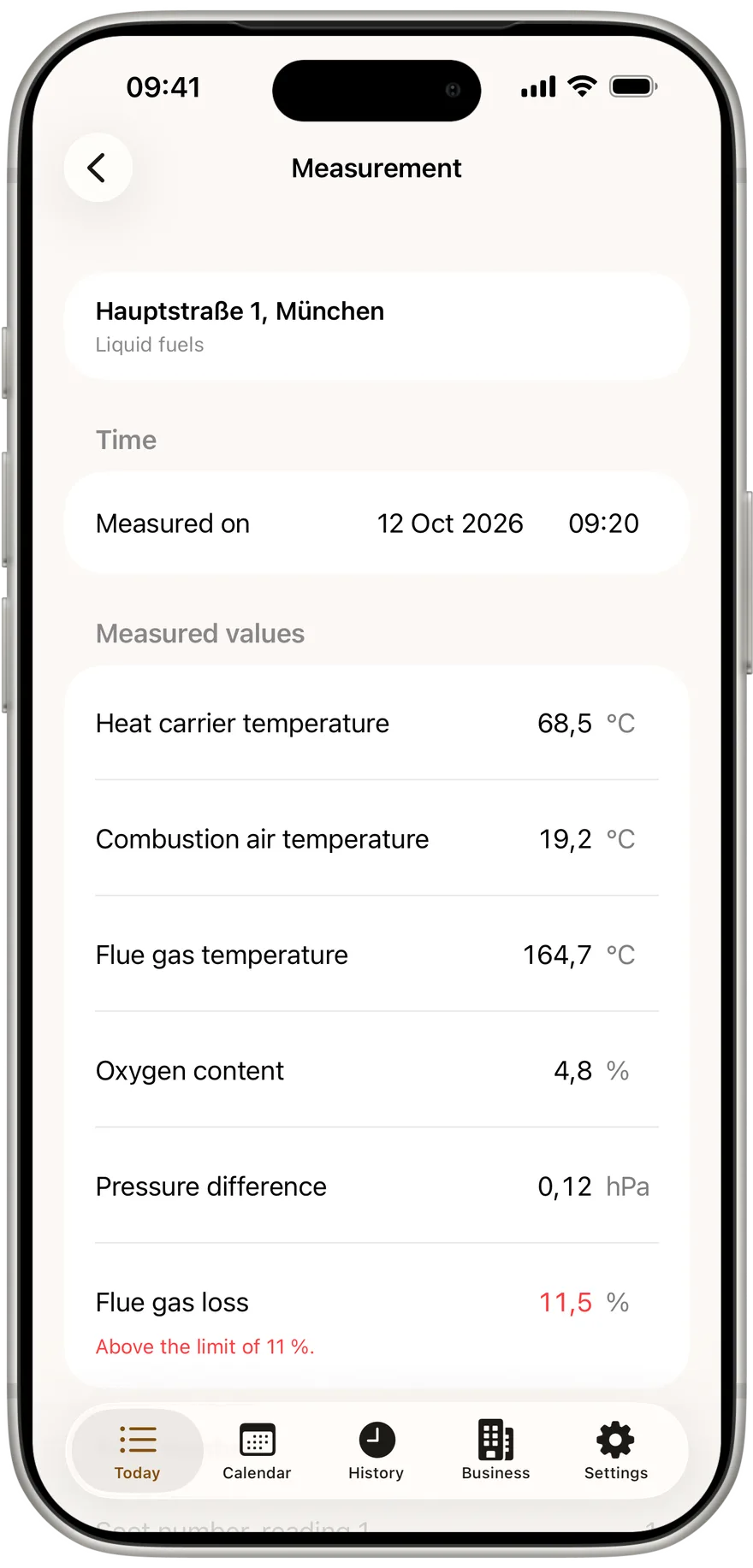
Photos and signature always belong to exactly one measurement. So in the appointment, tap "Start measurement" or "Resume measurement" on the appliance. Below the values and the result come the Photos and Signature sections. You do not have to fill in the values first: if you prefer to start with the rating plate, start with the rating plate.
Step 2: take a photo
In Photos, tap "Take photo". The camera opens full screen.
- iPhone: the camera opens inside Kehrwerk with the flash on auto, so you are not hunting for it in a dark boiler room.
- Android: Kehrwerk opens your phone's own camera app, with every setting you know from it.
Once taken, the photo appears as a thumbnail in a row under Photos. Take as many as the appliance needs. Three subjects work well:
- the rating plate, so manufacturer, model and serial number are on record
- the analyser display with the values you read
- any defect found, so nobody has to argue about it later
Tap a thumbnail to open the photo full size. A blurred shot can be removed there with "Delete". The app asks first: delete photo? It belongs to this measurement and cannot be restored.
The rating plate photographed before you forget
Photos belong to the measurement at once, even with no signal in the cellar. Kehrwerk is free for one person for good.


Step 3: have the owner sign
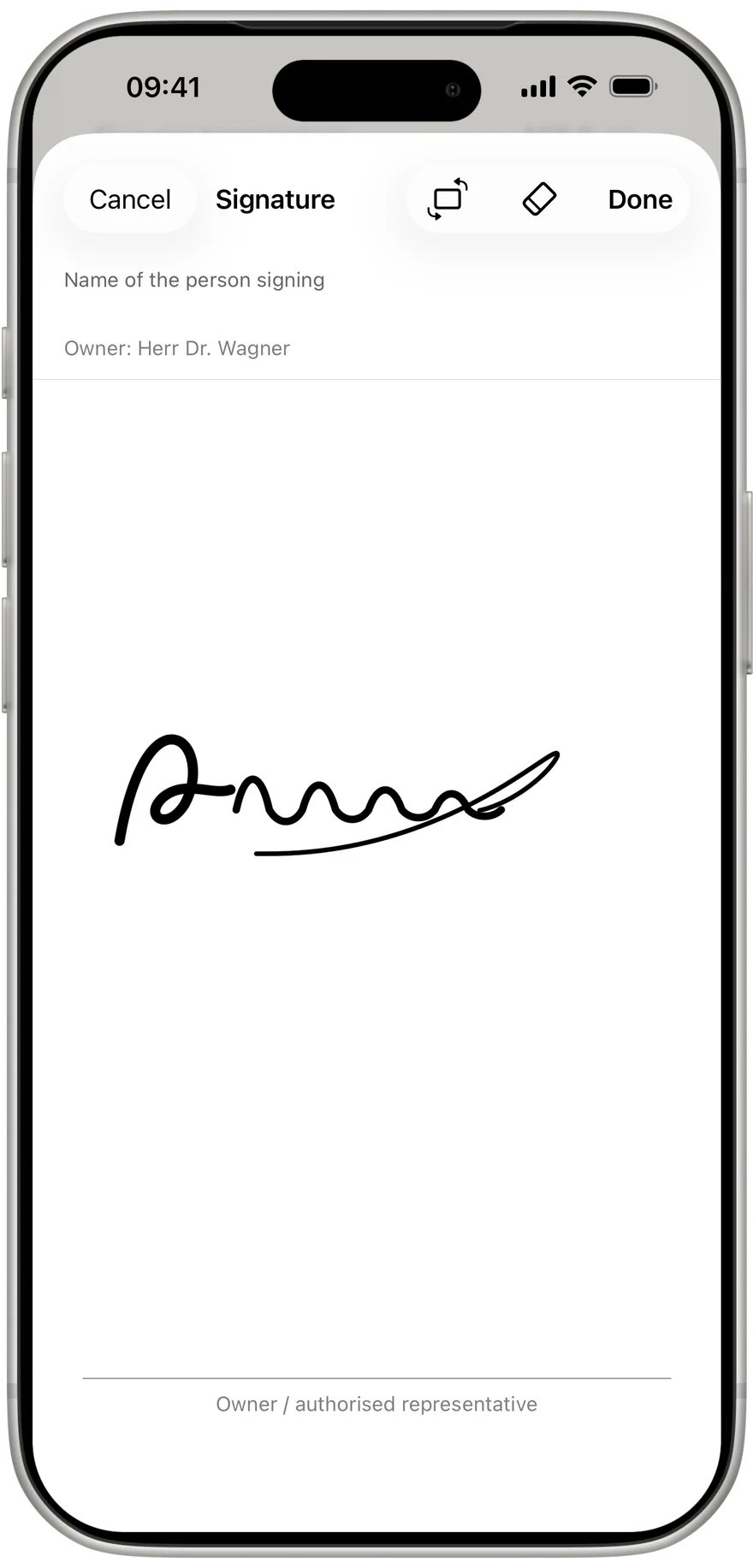
Under Signature there is the row "Owner / authorised representative" marked "Sign". One tap opens a white surface over the whole screen, with a line like on paper. Then:
- At the top is the field "Name of the person signing". Below it the app shows the owner from the property details as a hint.
- The name is deliberately not prefilled. An owner may be a company, and a company does not sign. A person signs, and that is the name you enter.
- The person then signs with a finger on the line.
- If the phone is too narrow upright, tap "Rotate". The surface turns sideways and gives roughly twice the writing width, without tipping the whole app.
- If it went wrong, "Clear" removes the drawing. "Done" saves the signature.
Back in the measurement the row shows the signature, with "Signed by" and the name below it. Like every value in Kehrwerk it is saved on the phone the moment it is made.
Step 4: store your own signature once
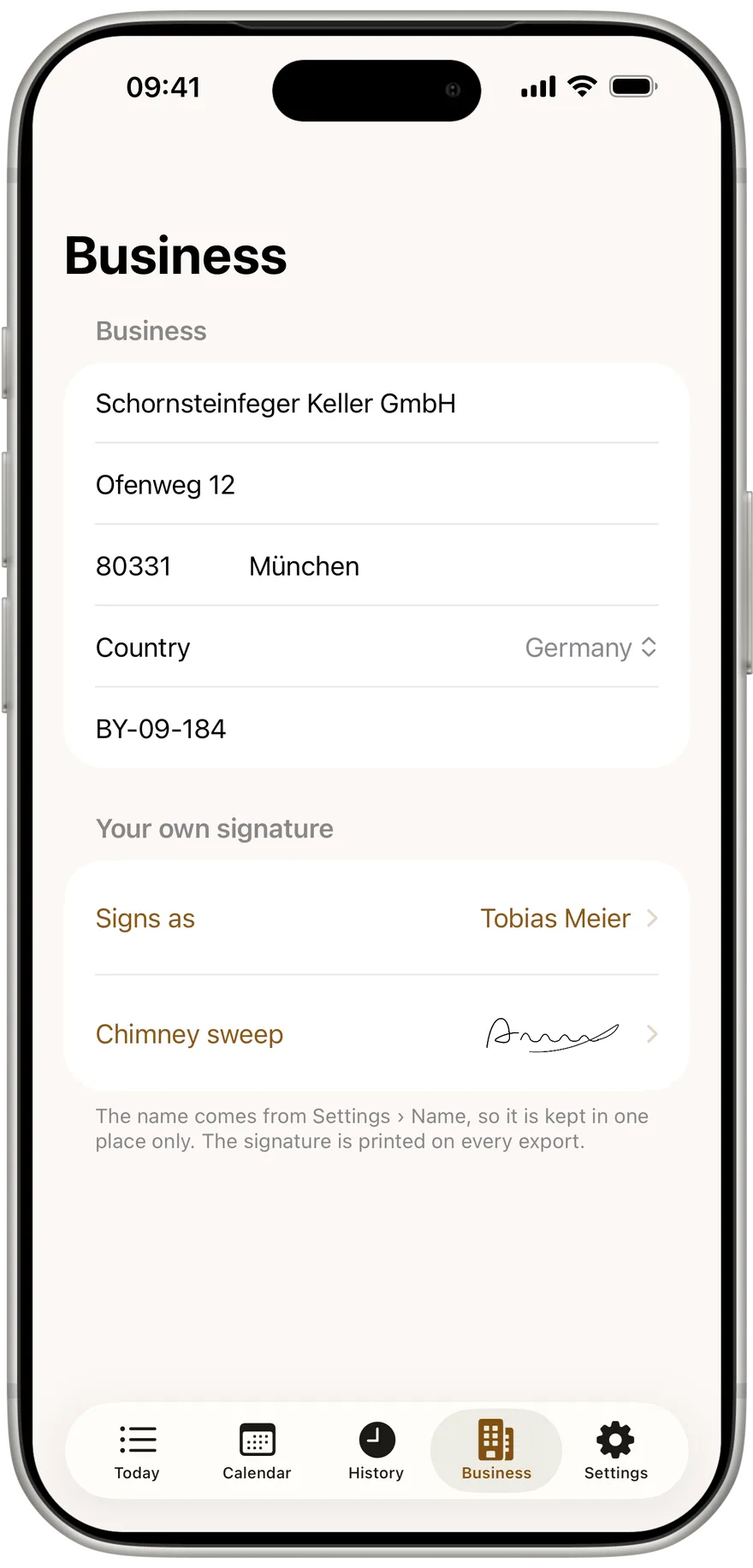
You do not sign every measurement yourself. You store your signature once under "Business" in "Your own signature", on the "Chimney sweep" row. From then on it is printed on every protocol. The name beside it comes from "Settings" and shows as "Signs as".
If you have not done that yet, the measurement reminds you right under the owner's signature: your signature is still missing, it is printed on every protocol. "Sign now" opens the same surface, and the signature then applies to every measurement. The reminder blocks nothing. You can still complete the measurement.
Sign once, on every protocol
Store your signature once and Kehrwerk prints it on every PDF. Free for one person, no account.
Step 5: how photos and signatures appear in the PDF
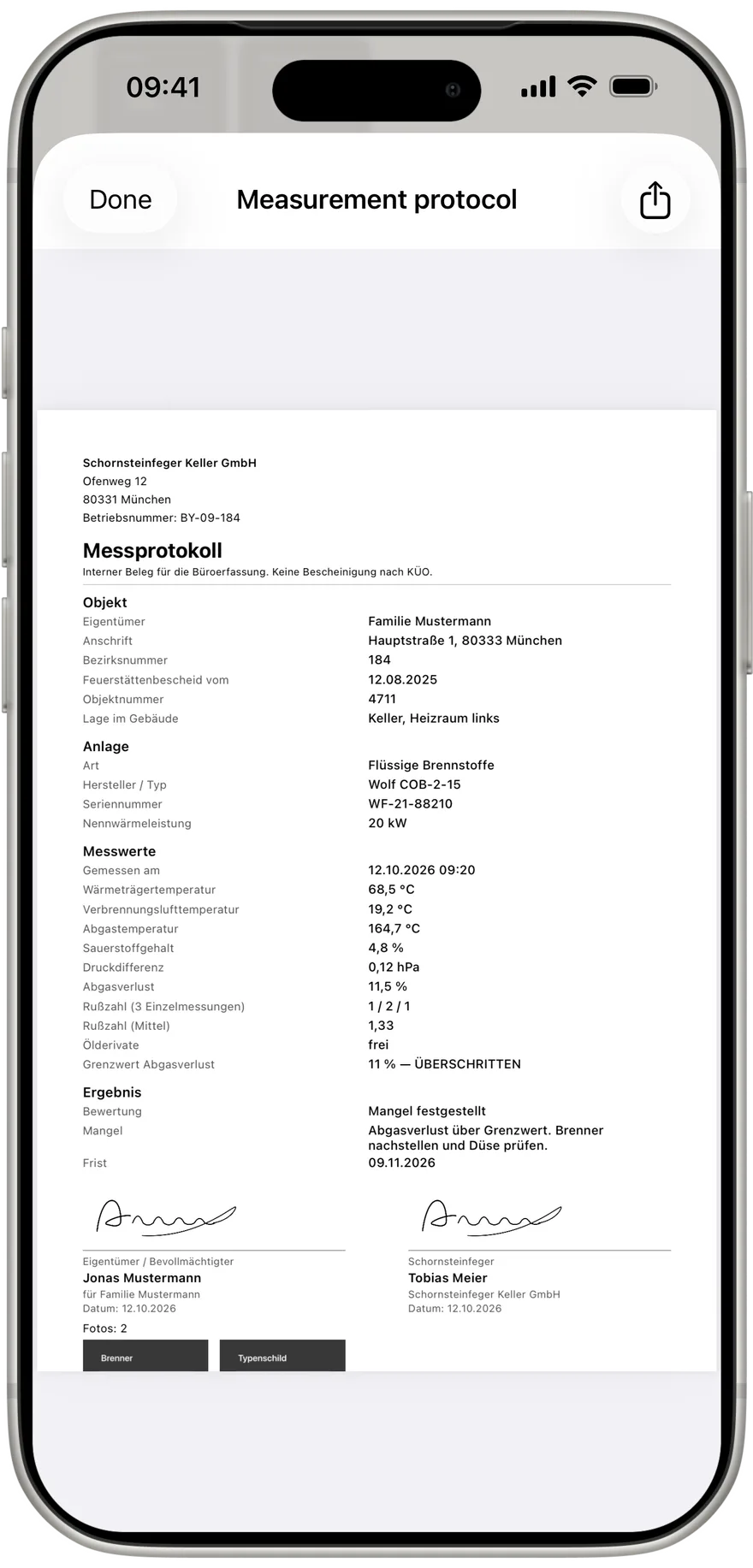
After the measurement, open "View the protocol". Under the result are two signature blocks side by side: owner or representative on the left, chimney sweep on the right, each with signature, name and date. If someone other than the owner signed, the app prints "für" and the owner's name below. The page shows who signed on whose behalf.
Below follows the Fotos heading with the count in brackets, and every photo, two side by side, in its true aspect ratio. Nothing is cropped or squeezed, because a squashed rating plate has no readable serial number. If that needs more pages, the protocol gets more pages. The day export CSV shows per measurement whether there is a signature, who signed and how many photos exist.
After completing
"Complete measurement" makes photos and signature part of the locked protocol. A photo can no longer be deleted and the signature no longer changed. If something must be corrected, use "Reopen measurement". The app records the change with its date.
If your phone is connected to a business, the PDF, the signature and the photos go to the office after completing, as soon as the phone has signal. Until then everything sits safely on the device.
Evidence made in the cellar
Photo, signature and PDF with no signal, right at the appliance. Free for one person for good, on iPhone and Android.
How many photos can I take per measurement?
As many as you need. All of them appear in the PDF, two side by side, on as many pages as it takes.
Does the owner have to sign personally?
An authorised representative can sign. Enter their name and the protocol prints "für" and the owner below it.
What if the screen is too narrow to sign?
Tap "Rotate". The signing surface turns sideways and is about twice as wide.
Do I have to sign every measurement myself?
No. Store your own signature once under Business and it is printed on every protocol.
Do photos and signature work offline?
Yes. Both are saved on the phone and printed into the PDF with no connection at all.
Try Kehrwerk on your next reading.
The chimney sweep app for flue gas readings on site. Free forever for one person, no signup.