Guide: the measurement protocol as a PDF and the day export as a CSV
One PDF per measurement for the owner and the file, one CSV per day for the office. Where to find both in Kehrwerk, what is in them and how they arrive.
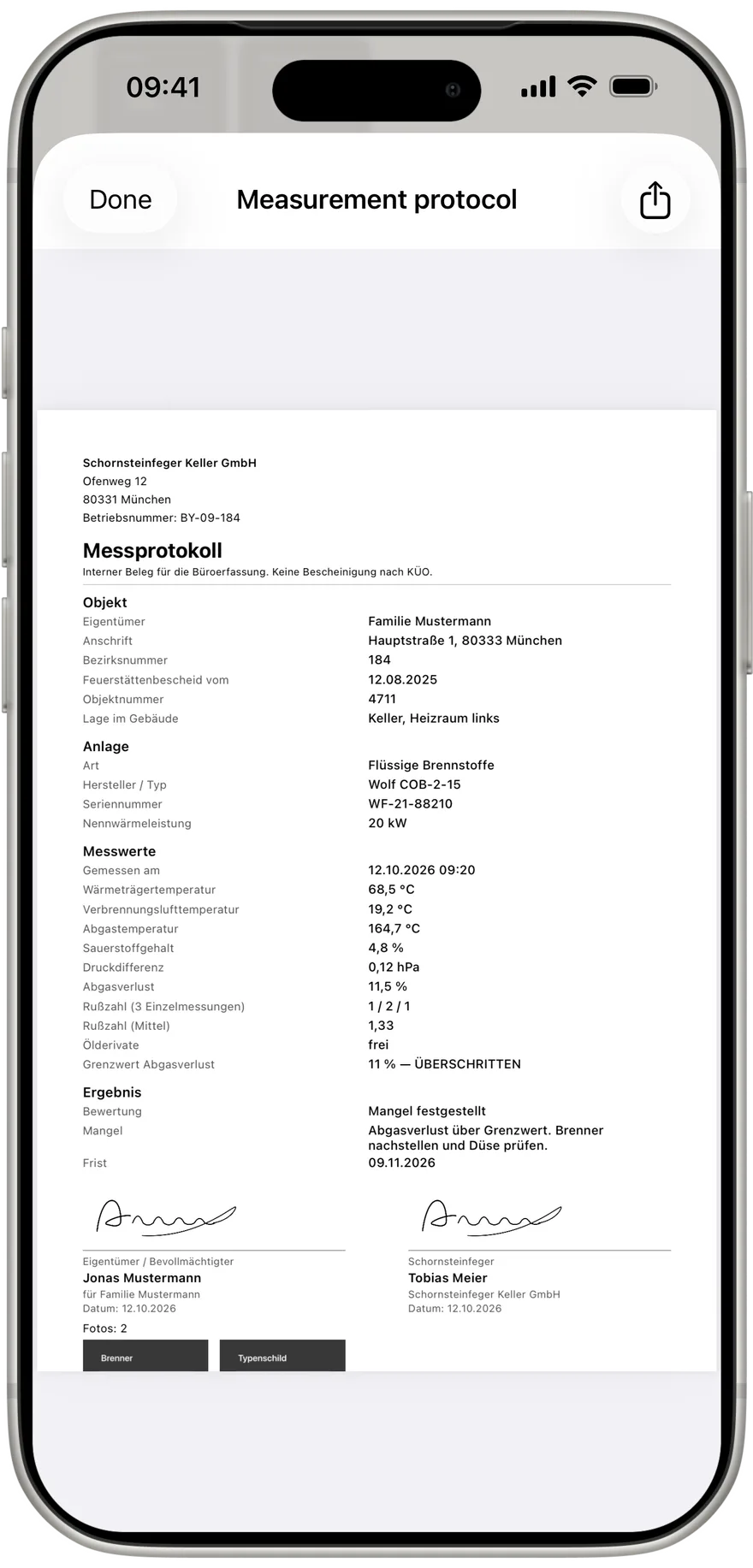
For a chimney sweep a measurement does not end in the cellar. Somebody has to get the values to the office, and that is where they get lost most often: typed up from a note, misread, a day late. The Kehrwerk app turns every measurement into two files you can share at once: a PDF for the single measurement and a CSV file for the whole day. Both are made on the phone, with no signal.
Step 1: open a measurement's PDF
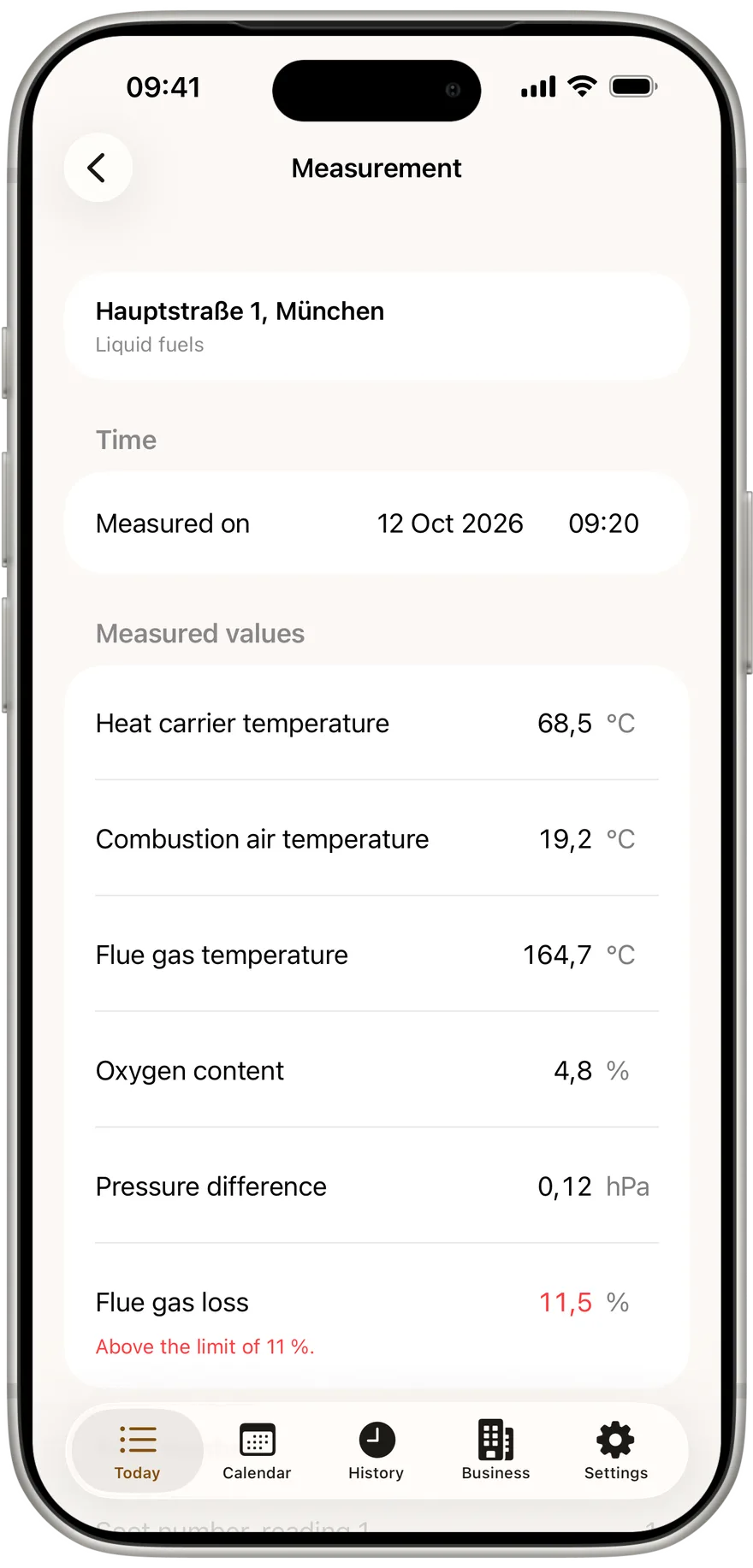
Every measurement has its own section below "Complete measurement" with two buttons: "View the protocol" and "Export". Below them it says the PDF of this measurement is for viewing and passing to the office. The first time you open a measurement the app builds the PDF once, and a short bar at the bottom says the export is being prepared.
The PDF is always current. Change a value, have the owner sign or add a photo, and the app writes the PDF again. While that happens, the two buttons are briefly not tappable. A signed protocol can never leave as the unsigned version from two seconds earlier.
Step 2: what the protocol contains
The PDF follows the layout of the official form and is always in German, even when the app runs in English, because it goes to a German speaking office. From top to bottom:
- letterhead with company name, address and business number from the Business section
- the heading Messprotokoll
- property: owner, address, district number, notice date, object number, location in building
- appliance: type, manufacturer and model, serial number, rated heat output
- measured values: measured on, then each value with its unit, for oil the three soot numbers, the average and the oil derivative result
- the legal basis, in Germany 1. BImSchV, and every judged limit marked eingehalten or ÜBERSCHRITTEN
- result: no defect or defect found, with description and deadline
- two signatures side by side, owner or representative and chimney sweep, each with name and date
- every photo of the measurement, two side by side, on as many pages as needed
Every number appears in the PDF exactly as you typed it. 0,12 hPa does not become 0,1 hPa. The PDF is the record for your office. The official certificate you issue as usual in your district software, with values that are already clean.
The protocol finished before you are up the stairs
Kehrwerk makes the PDF on the phone, even with no signal at all. Free for one person for good, no account.


Step 3: share the PDF
"Export" opens your phone's share menu. From there the PDF goes by mail to the owner or the property manager, by messenger to the office, or into a cloud folder. The file is named after the measurement's date and time, for example Messung-2026-10-24-0915.pdf, so it is easy to place in a folder.
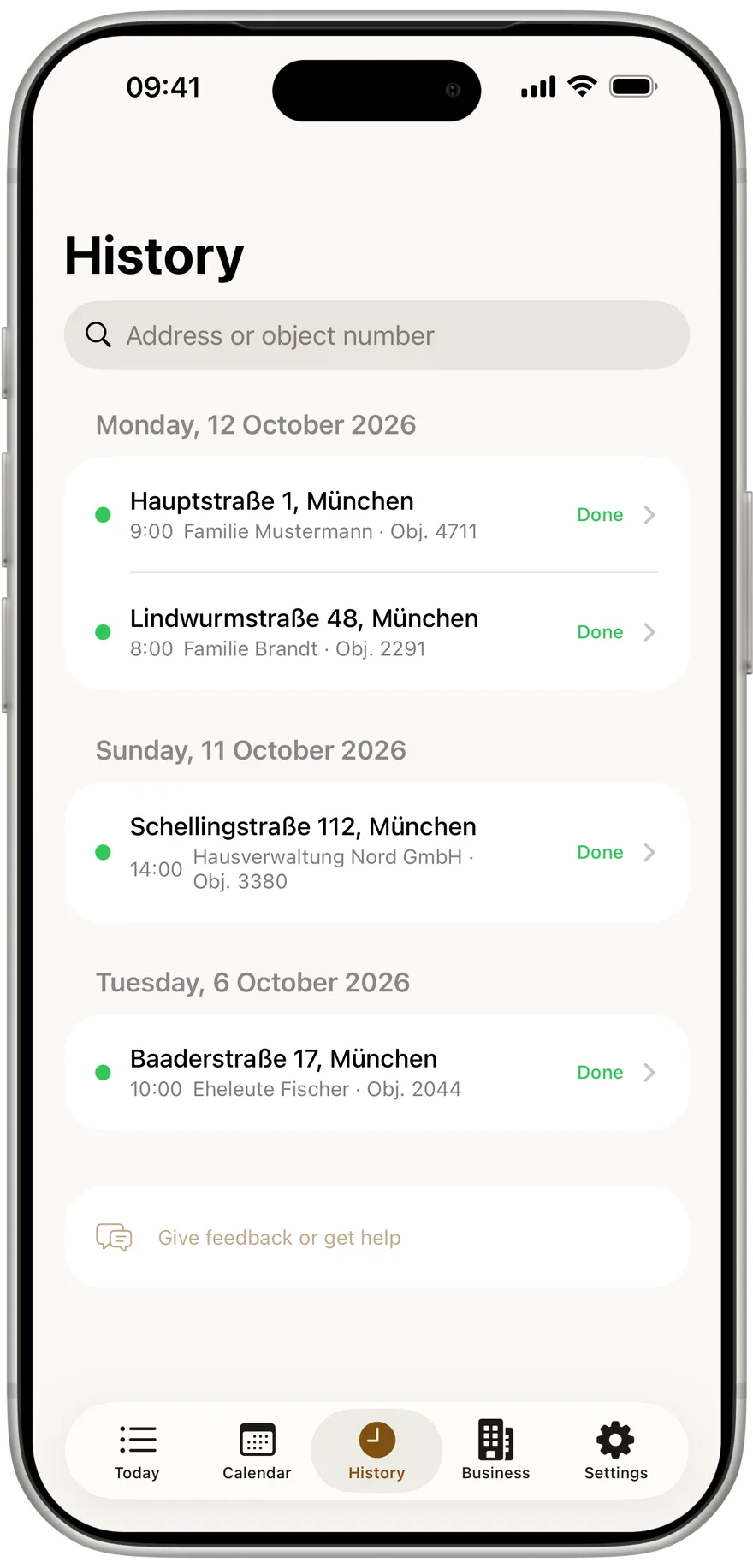
You can make the PDF again at any time, weeks later too. In "History" open the appointment, then the appliance with "View measurement", and tap "View the protocol" or "Export" again.
Step 4: get the day export as a CSV
As soon as at least one measurement is completed today, "Today" shows a "Day export" row under the appointment list with the count in brackets, for example Day export (7 measurements). Below it: a CSV of every measurement completed today, for the office. One tap opens the share menu again.
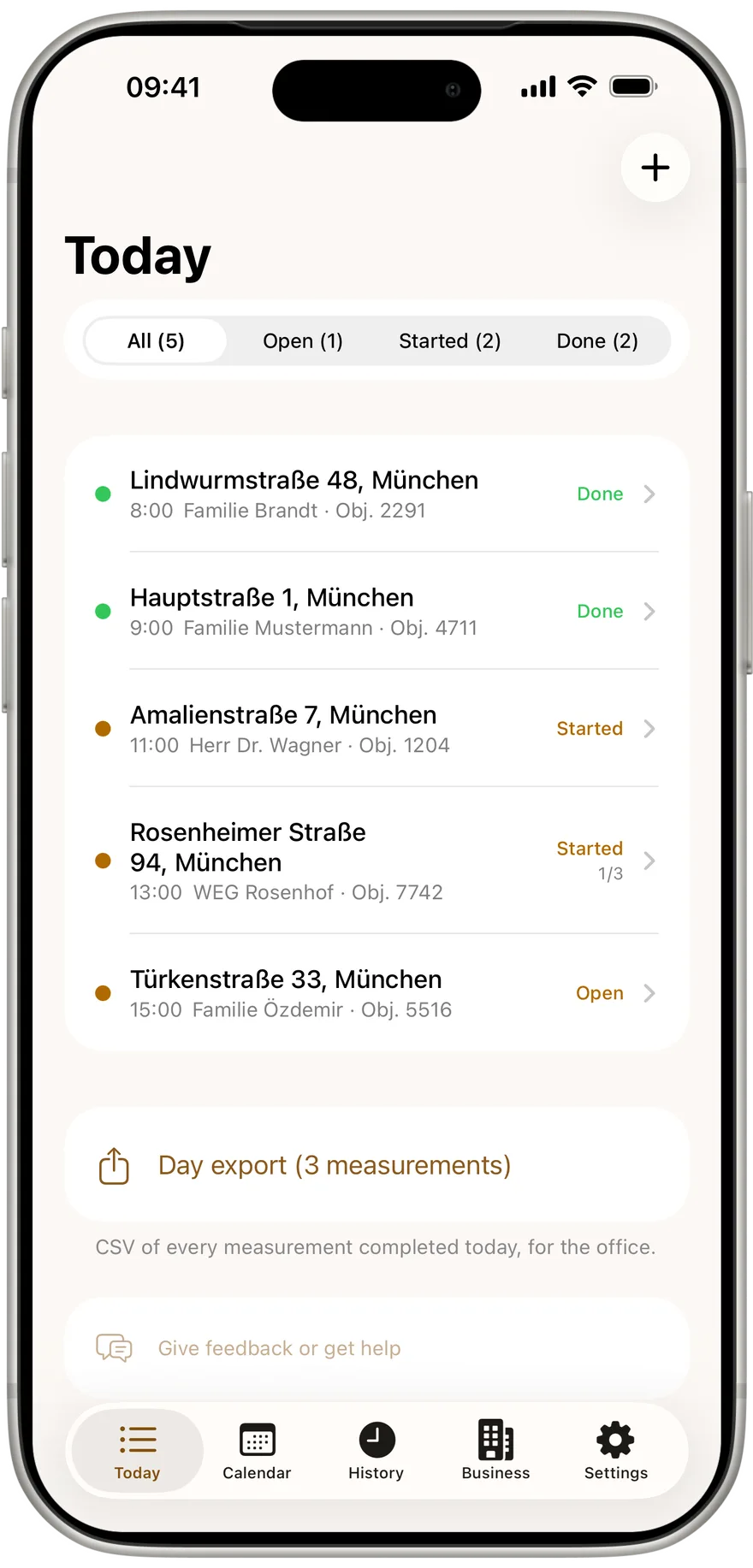
The file is named with date and time, for example Messungen-2026-10-24-1630.csv. It is semicolon separated, numbers use a decimal comma, dates read 24.10.2026. The file carries a UTF-8 marker so Excel on a German Windows machine shows every umlaut in owner names correctly.
One tap in the evening instead of an hour of typing
The day export brings every measurement of the day to the office as one CSV. Free for one person, works with no signal.
Step 5: know the CSV columns
One row per measurement, columns in fixed groups. If you take the file into your district software or a spreadsheet, you can rely on these names:
- Appointment: Termin_Datum, Termin_Uhrzeit
- Measurement: Mess_Datum, Mess_Uhrzeit, Abgeschlossen_am, Nachtraeglich_geaendert_am, Erfasst_von
- Property: Eigentuemer, Strasse, PLZ, Ort, Land, Bezirksnummer, Objektnummer, Feuerstaettenbescheid_vom, Lage, Objekt_Notiz
- Appliance: Art, Hersteller, Typ, Seriennummer, Nennwaermeleistung_kW, BHKW_Brennstoff
- Values: Waermetraegertemperatur_C, Verbrennungslufttemperatur_C, Abgastemperatur_C, Sauerstoffgehalt_Prozent, Druckdifferenz_hPa, Abgasverlust_Prozent, Staubgehalt_mg_m3, CO_mg_m3, NOx_mg_m3, Feuchtigkeitsgehalt_Prozent
- CHP: CO_unverduennt_ppm, Ringspalt_O2_Differenz_Prozent, Ringspalt_Lufttemperatur_C, Ringspalt_Druckdifferenz_Pa
- Soot and oil: Russzahl_1, Russzahl_2, Russzahl_3, Russzahl_Mittel, Oelderivate
- Assessment: Bewertungsland, Rechtsgrundlage, Bezugssauerstoff_Prozent, Grenzwert_Abgasverlust, Ergebnis, Mangel, Frist
- Evidence: Unterschrift_Eigentuemer, Unterschrieben_von, Fotos, Betriebsnummer
The unit is in the column name. That matters for CHP units: the annular gap pressure is in pascal, the ordinary pressure difference in hectopascal, so nobody can mix them up. The three soot numbers come individually as well as the average, because the office cannot work the single readings back out of a mean. Unterschrift_Eigentuemer says ja or nein, Fotos gives the count.
When your phone is connected to a business
If you work in a business with the Kehrwerk office, you share nothing at all. Every completed measurement goes to the office with PDF, signature and photos on its own, as soon as the phone has signal. On "Today" a row shows the state, such as "All with the office". PDF and day export stay available in case an owner wants the protocol by mail right away.
Try the export with your next measurement
PDF per measurement, CSV per day, both without an account and without signal. Free for one person for good.
Do I need internet to make the PDF?
No. PDF and CSV are made on the phone. Only sending them by mail needs a connection later.
Can I share the PDF before completing?
Yes. "View the protocol" and "Export" are in every measurement and always show the current state.
Which measurements are in the day export?
Every completed measurement on today's appointments. Open measurements are left out.
Does Excel open the CSV with umlauts correctly?
Yes. The file is UTF-8 with a marker, semicolon separated, with German numbers and dates.
Is the PDF in English if my app runs in English?
No. The protocol is always German, because it goes to a German speaking office and onto German forms.
Try Kehrwerk on your next reading.
The chimney sweep app for flue gas readings on site. Free forever for one person, no signup.